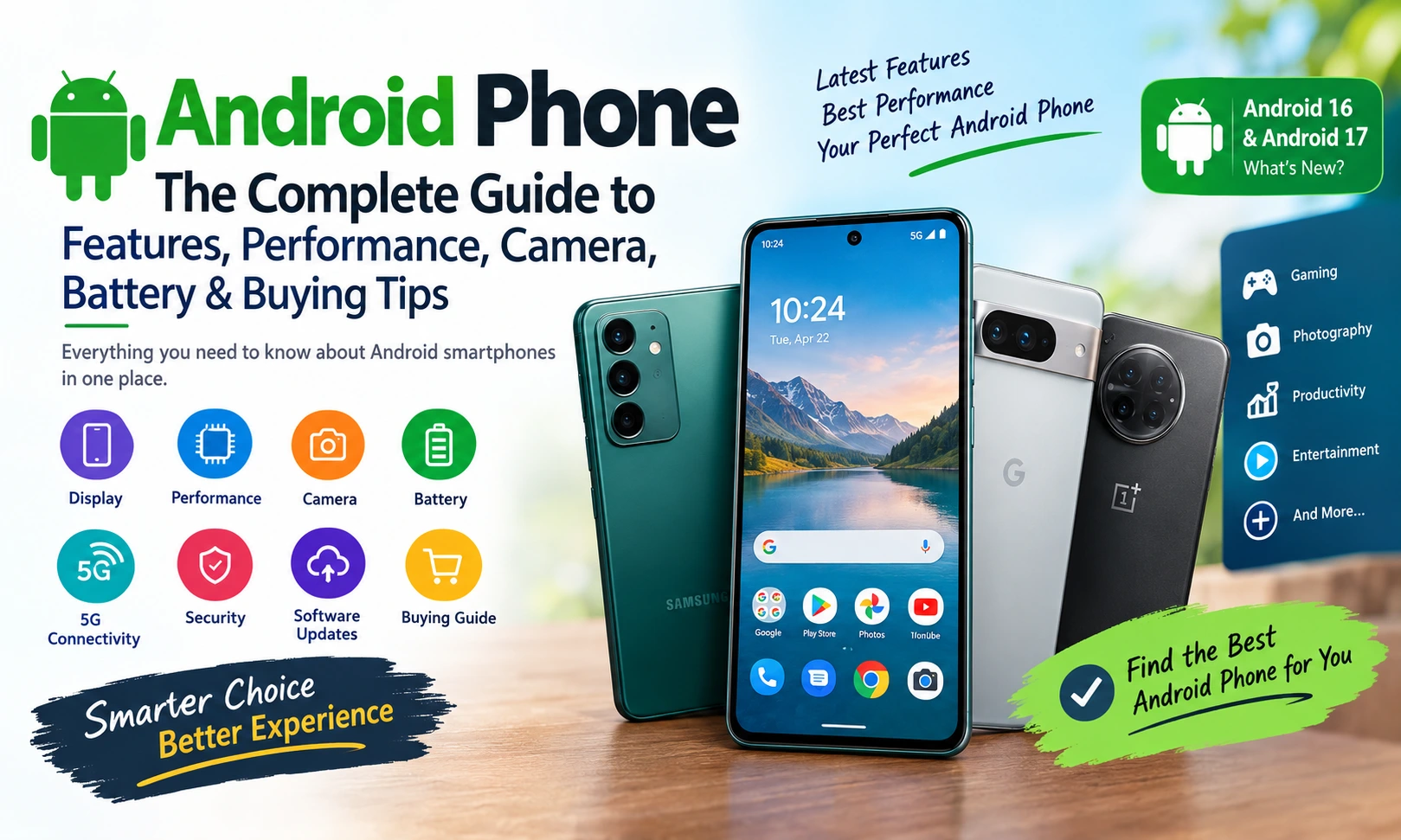
An Android phone is one of the most popular types of smartphones in the world, offering users a combination of flexibility, powerful hardware, useful software, personalization, and access to millions of apps. From affordable smartphones for everyday communication to premium flagship devices designed for photography, gaming, productivity, and artificial intelligence, Android phones are available in almost every price category.
The Android ecosystem has changed dramatically over the years. Modern Android smartphones are no longer simply devices for making calls and sending messages. They have become powerful personal computers that fit inside a pocket. People use Android phones for online payments, photography, video recording, social media, business, education, entertainment, navigation, gaming, shopping, content creation, and artificial intelligence.
Android also continues to evolve through operating-system updates, security improvements, new features, and developer innovations. Google states that Android updates can provide new features, performance improvements, bug fixes, and stronger security protection.
This complete guide explains everything you need to know about Android phones, including how Android works, important specifications, camera technology, battery life, processors, displays, storage, RAM, software updates, security, gaming performance, and how to choose the right Android phone for your needs.
What Is an Android Phone?
An Android phone is a smartphone that uses the Android operating system. Android is a mobile operating system developed by Google and supported by a large ecosystem of device manufacturers, application developers, chip manufacturers, and technology companies.
Unlike a single-brand smartphone ecosystem, Android is available on phones made by many different manufacturers. This creates a wide variety of choices in terms of design, specifications, price, software interfaces, cameras, displays, batteries, and special features.
You can find Android phones ranging from entry-level models designed for basic tasks to high-end flagship smartphones equipped with advanced processors, high-resolution displays, sophisticated camera systems, fast charging, large batteries, and AI-powered features.
One of Android’s biggest advantages is choice. Consumers can select a smartphone based on their budget and priorities rather than being limited to a single hardware configuration.
Why Are Android Phones So Popular?
Android phones are popular because they provide flexibility and variety.
A user looking for an affordable smartphone can choose a basic Android phone with enough performance for calling, messaging, browsing, and social media. Another user may want a premium Android smartphone with a high-refresh-rate display, advanced camera system, powerful processor, large storage capacity, and fast charging.
The Android ecosystem also provides access to the Google Play Store, where users can download applications, games, productivity tools, entertainment apps, communication platforms, and many other services. Google describes Google Play as a central destination for Android apps and highlights Google Play Protect as an important layer for app security.
The combination of hardware diversity, software flexibility, application support, personalization, and competitive pricing makes Android attractive to a broad range of users.
Main Features of an Android Smartphone
Modern Android smartphones include many features that can significantly affect the overall user experience.
Important Android phone features include:
- High-resolution displays
- AMOLED and OLED screens
- High refresh rates
- Powerful mobile processors
- Multiple RAM configurations
- Large internal storage
- Advanced camera systems
- 4G and 5G connectivity
- Wi-Fi and Bluetooth
- GPS navigation
- Fast charging
- Wireless charging on selected models
- Fingerprint sensors
- Face unlock
- NFC
- Artificial intelligence features
- Advanced privacy and security controls
- Google Play Store
- Cloud backup and synchronization
- Customizable home screens
- Widgets
- Split-screen multitasking
- Accessibility features
The exact features vary depending on the manufacturer and price range.
Android Phone Display
The display is one of the most important parts of a smartphone because users interact with it constantly.
A good Android phone display should provide sharp text, accurate colors, sufficient brightness, smooth scrolling, and comfortable viewing.
AMOLED and OLED Displays
Many modern premium Android smartphones use OLED or AMOLED display technology.
These displays can produce deep blacks because individual pixels can turn off when displaying black content. This can create high contrast and make photos and videos look more impressive.
AMOLED displays are particularly popular in mid-range and flagship Android smartphones.
Refresh Rate
Refresh rate describes how many times the display can update each second.
Common smartphone refresh rates include:
- 60Hz
- 90Hz
- 120Hz
- 144Hz
A 120Hz display can make scrolling, animations, supported games, and general navigation feel smoother than a traditional 60Hz panel.
However, a higher refresh rate can also consume additional power, which is why many phones dynamically adjust refresh rates depending on what the user is doing.
Display Resolution
Resolution refers to the number of pixels displayed on the screen.
A higher resolution can produce sharper images and text, but resolution is only one part of display quality. Brightness, contrast, color accuracy, refresh rate, panel technology, and calibration also matter.
For most users, a high-quality Full HD+ display can provide an excellent smartphone experience.
Android Phone Processor
The processor, often called the chipset or SoC, is one of the most important components inside an Android phone.
The processor affects:
- App performance
- Gaming performance
- Camera processing
- AI features
- Multitasking
- Power efficiency
- Video processing
- Connectivity
Popular Android smartphone chipsets come from companies such as Qualcomm, MediaTek, Google, Samsung, and others.
A powerful processor is particularly useful for users who play demanding games, edit videos, use multiple applications simultaneously, or want advanced AI and camera capabilities.
However, processor performance should not be considered in isolation. Software optimization, cooling, RAM, storage speed, and battery capacity also influence real-world performance.
 Earning
AD admin| Mar 21, 2026| 14 min read
How Students Can Earn Money Online from Home
RAM in Android Phones
RAM allows a smartphone to keep applications and processes available for quick access.
Android phones are available with different RAM capacities, depending on their price and performance category.
For basic users, a modest amount of RAM can be enough for calling, messaging, browsing, and light applications.
Users who frequently multitask, play demanding games, edit videos, or keep many applications open may benefit from more RAM.
More RAM does not automatically make every phone faster. The processor, software optimization, storage, and memory management are also important.
How Much RAM Does an Android Phone Need?
A practical approach is:
Basic use: Lower RAM configurations can be sufficient.
Everyday multitasking: Mid-range RAM configurations offer a comfortable experience.
Gaming and heavy multitasking: Higher RAM configurations can be useful.
Premium users: Higher-end models often combine powerful processors, fast storage, and larger RAM capacities.
Instead of buying the phone with the largest RAM number, consider your actual usage.
Android Phone Storage
Storage determines how much space you have for applications, photos, videos, documents, games, downloads, and other files.
Common storage capacities include:
- 64GB
- 128GB
- 256GB
- 512GB
- 1TB
For many users, 128GB can be a practical starting point. People who take lots of photographs and videos or install many large games may prefer 256GB or more.
Before purchasing an Android phone, check whether it supports a microSD card. Many modern premium smartphones do not include expandable storage, so choosing the correct internal storage capacity is important.
Why Storage Speed Matters
Storage technology can affect application loading, file transfers, game loading, and general responsiveness.
A phone with fast internal storage can feel noticeably quicker than an older device using slower storage technology.
 Earning
AD admin| Mar 21, 2026| 11 min read
Top 15 Online Earning Apps in India That Actually Pay Real Money in 2026 Without Investment for Students, Beginners, and Professionals
Android Phone Camera
Smartphone photography has become one of the biggest areas of competition among Android manufacturers.
A modern Android phone can include multiple cameras, such as:
- Main camera
- Ultra-wide camera
- Telephoto camera
- Macro camera
- Depth sensor
- Front-facing camera
However, the number of cameras does not automatically determine image quality.
Main Camera
The main camera is generally the most important camera on the phone.
It is used for everyday photography and often provides the best image quality.
Factors affecting camera performance include:
- Sensor size
- Lens quality
- Aperture
- Image stabilization
- Image processing
- Dynamic range
- Autofocus
- Low-light performance
Ultra-Wide Camera
An ultra-wide camera captures a broader field of view.
It is useful for:
- Landscapes
- Buildings
- Group photos
- Travel photography
- Interior photography
Telephoto Camera
A telephoto camera is designed for optical zoom.
It can help users photograph distant subjects while maintaining better quality than simply cropping a normal image.
Premium Android phones often use sophisticated telephoto systems for portrait and long-distance photography.
Night Photography
Night photography is another major smartphone feature.
Modern Android phones use larger sensors, optical image stabilization, computational photography, multi-frame processing, and artificial intelligence techniques to improve low-light images.
This means that camera performance cannot be judged only by megapixel numbers.
A 200-megapixel camera does not automatically produce better photographs than a 50-megapixel camera.
Software processing and sensor quality matter enormously.
Android Phone Video Recording
Modern Android smartphones can also function as compact video cameras.
Depending on the device, users may get features such as:
- 4K video
- High-frame-rate recording
- Electronic stabilization
- Optical stabilization
- Slow motion
- Time-lapse
- Portrait video
- HDR video
- Professional video controls
Content creators should pay attention to stabilization, microphone quality, storage capacity, camera processing, and thermal performance in addition to resolution.
 Earning
AD admin| Mar 19, 2026| 10 min read
Earn Money from Freelancing in 2026: Complete Beginner to Pro Guide
Android Phone Battery Life
Battery life is one of the most important factors when choosing an Android smartphone.
Battery capacity is generally measured in milliamp-hours, or mAh.
A larger battery can provide more energy capacity, but battery life depends on many factors.
These include:
- Processor efficiency
- Display brightness
- Refresh rate
- Network connection
- App usage
- Gaming
- Camera usage
- Background processes
- Software optimization
- Battery capacity
For example, a phone with a large battery and inefficient hardware may not necessarily last longer than a phone with a slightly smaller battery and highly efficient components.
Fast Charging
Fast charging has become an important Android phone feature.
It allows users to add significant battery capacity in a relatively short period.
Different manufacturers use different charging technologies and speeds.
When comparing charging systems, consider:
- Charger availability
- Charger included in the box
- Supported charging speed
- Heat management
- Battery health features
- USB standard
Battery Health
Good charging habits can help maintain a phone’s battery over time.
Avoid unnecessary exposure to extreme heat, use compatible charging equipment, and install system updates when appropriate.
Android updates can also include improvements related to performance and power management.
Android Phone 5G Connectivity
5G is available on many modern Android smartphones.
5G networks can provide faster data speeds and lower latency where supported by the carrier and network infrastructure.
However, buying a 5G phone does not guarantee maximum 5G performance everywhere.
Actual network performance depends on:
- Carrier
- Coverage
- Spectrum
- Network congestion
- Device modem
- Location
- Network configuration
If you plan to keep your phone for several years, 5G support can be a useful feature.
Android Phone Security
Security is extremely important because smartphones contain personal information such as photos, messages, contacts, financial information, passwords, documents, and account credentials.
Android provides several security features designed to help protect users and their information.
Useful security practices include:
- Use a strong screen lock
- Keep Android updated
- Install applications from trusted sources
- Review app permissions
- Enable device-finding features
- Use two-factor authentication
- Avoid suspicious links
- Keep your Google Account secure
- Avoid installing unknown APK files
- Use biometric authentication where appropriate
Google recommends keeping Android devices updated because system and security updates can help protect against new threats and improve device reliability.
Google Play Protect
Google Play Protect helps scan Android applications for potentially harmful behavior.
Using official application sources and keeping security protections active is an important part of maintaining a safer Android phone experience.
 Blogging
AD admin| Mar 19, 2026| 7 min read
How to Earn Money from Starting a Blog (Complete 2026 Guide)
Android Software Updates
Software support is an important factor when buying an Android smartphone.
Updates can provide:
- New features
- Security improvements
- Bug fixes
- Performance enhancements
- Compatibility improvements
- Stability improvements
Android explains that updates can help devices stay secure, work with newer applications, and improve reliability.
However, update availability and duration can vary between manufacturers and individual models.
Therefore, when buying a new Android phone, do not only check hardware specifications. Also check the manufacturer’s software-update policy.
Android 16 and Android 17
Android continues to evolve with major operating-system releases.
Android 16 introduced improvements related to productivity, security, accessibility, and device functionality. Official Android information highlights features including Identity Check, enhanced protection, desktop windowing, and additional accessibility capabilities.
As of 2026, Google’s developer documentation also provides Android 17 information, including new APIs and platform changes. The Android developer release documentation currently identifies Android 17 as a beta-stage platform, while Android 16 is listed as stable.
This is important because users should distinguish between a stable Android release and a beta version. Beta software is primarily intended for testing and development and may not provide the same stability as a final consumer release.
Android Phone User Interface
Android provides a flexible foundation, but manufacturers can customize the experience.
Different brands may add their own:
- Themes
- Icons
- Camera applications
- Settings
- Widgets
- Multitasking tools
- AI features
- Battery management tools
- Privacy features
This means two Android phones can run the same major Android version while feeling very different.
Some users prefer a clean and simple interface, while others enjoy extensive customization.
Android Phone Customization
Customization is one of Android’s most recognizable strengths.
Users can often personalize:
- Wallpapers
- Widgets
- App icons
- Home-screen layouts
- Themes
- Notification settings
- Quick settings
- Lock screens
- Default applications
Widgets are particularly useful because they can display information without requiring users to open an application.
For example, a weather widget can display current conditions, while a calendar widget can show upcoming events.
Android Phone for Gaming
Gaming has become a major smartphone use case.
A gaming-focused Android phone should have:
- Powerful processor
- Strong GPU performance
- High-refresh-rate display
- Good cooling
- Sufficient RAM
- Fast storage
- Large battery
- Reliable network connectivity
- Responsive touch input
Long gaming sessions can generate heat, so thermal management is especially important.
A phone with excellent benchmark performance but poor heat management may reduce performance during extended gaming.
How to Choose an Android Gaming Phone
If gaming is your priority, look beyond processor specifications.
Check:
- Sustained performance
- Cooling system
- Display refresh rate
- Touch response
- Battery capacity
- Charging speed
- Storage
- Speaker quality
- Software gaming tools
For casual gaming, you do not necessarily need a flagship smartphone.
Android Phone for Photography
If photography is your primary requirement, prioritize camera quality rather than simply buying the phone with the largest megapixel number.
Look for:
- Large primary sensor
- Optical image stabilization
- Good dynamic range
- Reliable autofocus
- High-quality image processing
- Good night photography
- Useful telephoto camera
- Strong video stabilization
Computational photography is now an important part of smartphone imaging.
The phone’s software can combine multiple frames and computational algorithms to improve exposure, detail, color, and noise.
Android Phone for Students
Students usually need a phone for communication, online classes, research, note-taking, entertainment, photography, and social media.
Important features include:
- Good battery life
- Reliable performance
- Bright display
- Adequate storage
- Good speakers
- Strong connectivity
- Long software support
Students do not necessarily need the most expensive Android phone.
A well-balanced mid-range device can often provide everything required for everyday study and entertainment.
Android Phone for Business Users
Business users may prioritize:
- Battery life
- Security
- Productivity
- Video conferencing
- Document editing
- Multitasking
- Reliable connectivity
- Storage
- Long software support
A larger display can make reading documents and working with spreadsheets more comfortable.
Some Android devices also support advanced multitasking and desktop-style workflows.
Android Phone for Content Creators
Content creators need more than a good camera.
They should consider:
- Camera quality
- Video stabilization
- Microphone performance
- Storage capacity
- Processor performance
- Display quality
- Battery life
- Fast charging
- Editing performance
- Thermal management
Recording high-resolution video can consume significant storage, so creators should consider at least a comfortable storage capacity.
Cloud storage can also help manage large media libraries.
Android Phone Buying Guide
Choosing the right Android phone does not need to be complicated.
Start by identifying your priorities.
Step 1: Set Your Budget
Decide how much you want to spend.
Avoid purchasing a phone simply because it has the highest specification.
A balanced phone can provide better value than an expensive device with features you never use.
Step 2: Identify Your Main Use
Ask yourself:
- Do I play games?
- Do I take lots of photos?
- Do I record videos?
- Do I use social media heavily?
- Do I work from my phone?
- Do I need long battery life?
- Do I need large storage?
- Do I need 5G?
- How long do I plan to keep the phone?
Your answers will help determine which specifications matter most.
Step 3: Check the Processor
Choose a processor suitable for your workload.
For basic use, you do not need the most powerful chipset.
For gaming and heavy applications, processor and GPU performance become more important.
Step 4: Check the Display
Look for:
- Good brightness
- High-quality panel
- Appropriate resolution
- High refresh rate
- Good color reproduction
Step 5: Check Battery and Charging
Battery capacity is important, but also consider processor efficiency and display power consumption.
Fast charging can be particularly useful for people with busy schedules.
Step 6: Check Software Support
This is one of the most overlooked factors.
A phone with strong hardware but poor software support may become less attractive over time.
Check how many Android version upgrades and security updates the manufacturer promises.
Step 7: Check Storage
If you take lots of photos, record videos, download movies, or play large games, choose more storage.
It is usually better to buy enough storage initially than to discover later that you constantly need to delete files.
Android Phone vs Other Smartphones
Android phones compete with smartphones running other operating systems.
The biggest Android advantages include:
- Large variety of devices
- Broad price range
- Hardware choice
- Customization
- Flexible file management
- Multiple manufacturers
- Extensive app ecosystem
- Wide range of form factors
The ideal smartphone platform ultimately depends on individual preferences.
Common Android Phone Problems
Even good Android phones can occasionally experience problems.
Common issues include:
- Battery draining quickly
- Phone becoming slow
- Apps crashing
- Storage becoming full
- Wi-Fi problems
- Bluetooth connection issues
- Overheating
- Notification problems
- Software bugs
- Charging issues
Many software-related problems can be addressed by restarting the phone, updating the operating system, updating applications, clearing unnecessary files, or checking settings.
Android Phone Running Slowly
If an Android phone becomes slow, try:
- Restarting the device.
- Installing available system updates.
- Updating applications.
- Removing unused apps.
- Freeing storage space.
- Checking battery or performance settings.
- Reducing unnecessary background activity.
Very old hardware may naturally struggle with newer applications.
How to Keep an Android Phone Fast
Good maintenance can help keep a phone responsive.
Avoid filling storage completely.
Keep applications updated.
Remove applications that you no longer use.
Restart the device occasionally.
Install official system updates.
Avoid downloading suspicious applications.
Use the built-in security features.
If a phone remains extremely slow despite these steps, hardware age may be the limiting factor.
How to Protect Your Android Phone
Physical and digital protection are both important.
For physical protection, consider:
- Quality phone case
- Screen protector
- Careful charging habits
- Protection from water where applicable
- Avoiding extreme temperatures
For digital protection:
- Use a secure PIN or password
- Enable biometrics
- Keep software updated
- Review permissions
- Avoid suspicious applications
- Use two-factor authentication
- Secure your Google Account
- Be careful with links and messages
Android’s security ecosystem continues to develop alongside the operating system and application platform.
Artificial Intelligence on Android Phones
Artificial intelligence is becoming increasingly important in modern smartphones.
AI can be used for:
- Photography
- Voice assistance
- Translation
- Writing
- Image editing
- Search
- Summarization
- Accessibility
- Personal productivity
- Device management
Modern Android experiences increasingly integrate AI capabilities across devices and applications. Google’s current Android feature ecosystem includes AI among the major categories of Android functionality.
AI features can be useful, but users should still evaluate whether the specific features matter to them before paying a premium for a particular device.
Android Phone Privacy
Privacy is another major consideration.
Users should regularly review:
- Location permissions
- Camera permissions
- Microphone permissions
- Contacts access
- Photos and videos access
- Notification access
- Background activity
Only grant permissions that an application actually needs.
For example, a simple calculator application generally does not need access to your contacts or microphone.
Android Phone Accessories
Useful Android phone accessories include:
- Protective cases
- Screen protectors
- USB-C chargers
- Power banks
- Wireless earbuds
- Bluetooth speakers
- Car mounts
- Wireless charging pads
- USB-C cables
- Phone stands
- Gaming controllers
Choose accessories based on your phone’s compatibility.
Always check supported charging standards before purchasing a charger.
How Long Should an Android Phone Last?
The useful life of an Android phone depends on its hardware, software support, battery condition, and how heavily it is used.
A good-quality smartphone can remain useful for several years, especially when the manufacturer provides long-term software and security support.
Battery degradation is one reason users eventually replace otherwise functional phones.
Software support is another important factor.
Therefore, when buying a phone, think about its expected lifespan rather than only its first-year performance.
Is an Expensive Android Phone Worth It?
An expensive Android phone can offer advantages such as:
- Better cameras
- Faster processor
- Better display
- Premium materials
- More storage
- Advanced zoom
- Better speakers
- Wireless charging
- Longer software support
- More sophisticated AI features
However, not everyone needs these features.
A mid-range Android smartphone can be the better choice for someone who primarily uses their phone for communication, browsing, social media, photography, streaming, and casual gaming.
The best Android phone is not necessarily the most expensive one.
It is the phone that best matches your needs and budget.
Future of Android Phones
Android smartphones are continuing to evolve.
Future devices are likely to focus heavily on:
- Artificial intelligence
- Better battery efficiency
- Advanced cameras
- Foldable displays
- Satellite connectivity
- More powerful processors
- Improved privacy
- On-device AI
- Smarter assistants
- Better gaming performance
- Faster connectivity
- More seamless integration between devices
Android development is also increasingly focused on experiences that work across different form factors, including phones, foldables, tablets, laptops, automotive systems, and other devices.
This means the Android ecosystem is becoming broader than the traditional smartphone.
Frequently Asked Questions About Android Phones
An Android phone is a smartphone powered by Google’s Android operating system. Android phones are produced by many different manufacturers and are available across a wide range of prices and specifications.
The best Android phone depends on your budget and requirements. Consider the processor, display, camera, battery, storage, software support, and overall value instead of choosing solely based on brand or specifications.
Android offers extensive hardware choice, customization, a broad application ecosystem, and phones across many price categories. Whether it is better depends on the user’s preferences and requirements.
The amount of RAM required depends on how you use the phone. Basic users need less RAM, while gamers and heavy multitaskers may benefit from higher RAM configurations.
5G is not necessary for everyone, especially if 5G coverage is limited in your area. However, 5G can be useful if you want faster mobile connectivity and plan to keep your smartphone for several years.
Megapixels are only one part of camera quality. Sensor size, image processing, stabilization, lenses, dynamic range, autofocus, and low-light performance are also important.
Reduce unnecessary screen brightness, review background applications, use battery-saving features when appropriate, keep software updated, and avoid excessive heat.
Yes. Official Android guidance recommends keeping your phone updated because updates can provide security improvements, bug fixes, new features, and performance enhancements.
Android 17 is part of the Android platform development cycle, but current official developer documentation identifies Android 17 as a beta-stage platform rather than a stable consumer release. Android 16 is listed as stable.
Check the processor, RAM, storage, display, camera, battery, charging speed, network compatibility, build quality, software-update policy, security support, and price.
Final Thoughts
An Android phone is much more than a device for making calls. It is a powerful personal technology platform that combines communication, entertainment, photography, productivity, gaming, artificial intelligence, navigation, online services, and security in one portable device.
The wide variety of Android smartphones means there is an option for almost every type of user. Budget-conscious buyers can focus on battery life and everyday performance, students can prioritize reliability and value, gamers can focus on processors and cooling, photographers can prioritize camera systems, and professionals can look for productivity, security, storage, and long-term software support.
When choosing an Android smartphone, avoid focusing on a single specification. A high megapixel number, huge RAM capacity, large battery, or extremely fast processor does not automatically make one phone the best choice.
Instead, look at the complete experience.
Consider the display, processor, RAM, storage, cameras, battery, charging, software, security, connectivity, build quality, and update policy together. Also consider how you actually use your smartphone.
Android continues to evolve through operating-system updates, new security technologies, AI capabilities, developer improvements, and support for an expanding range of devices. Official Android resources emphasize that updates can improve security, performance, stability, and functionality, making software support an important part of the smartphone experience.
Ultimately, the best Android phone is the one that provides the right combination of performance, features, reliability, software support, and price for your personal needs.
Whether you are buying your first smartphone, upgrading from an older Android device, looking for a gaming phone, searching for a camera phone, or simply trying to understand modern smartphone technology, understanding these fundamentals will help you make a smarter Android phone decision.
Leave a Reply