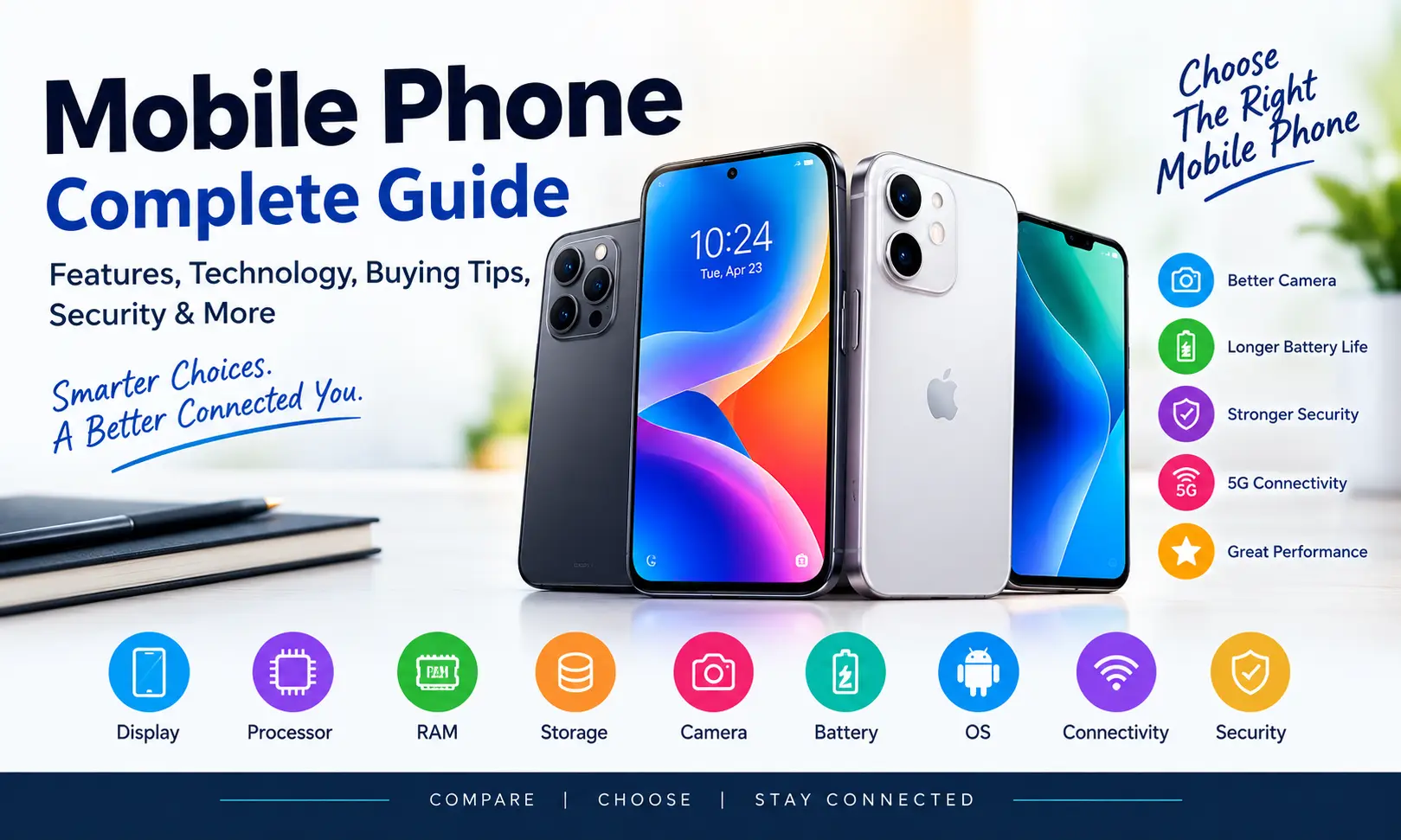
Mobile phones have become one of the most important technologies in everyday life. What started as a simple device for making calls and sending text messages has evolved into a powerful pocket-sized computer capable of handling communication, photography, entertainment, education, banking, shopping, navigation, business, social media, and much more.
Today, a modern mobile phone is not simply a communication device. It can be a camera, gaming machine, digital wallet, personal assistant, productivity tool, entertainment center, navigation system, and connection to the online world. With so many mobile phones available at different prices, choosing the right device can sometimes be confusing.
This complete guide explains everything you need to know about mobile phones, including their important features, display, processor, RAM, storage, camera, battery, operating system, connectivity, security, maintenance, and buying considerations.
Whether you are purchasing your first smartphone, upgrading an old mobile phone, or simply trying to understand mobile technology better, this guide can help you make a more informed decision.
What Is a Mobile Phone?
A mobile phone is a portable electronic device designed primarily for wireless communication. Traditional mobile phones were mainly used for voice calls and text messages. Modern smartphones have expanded these capabilities by combining communication with computing and internet technologies.
A smartphone can connect to cellular networks and Wi-Fi, run applications, browse websites, capture photos and videos, stream content, play games, use GPS navigation, manage documents, and perform many tasks that were previously possible only with a computer.
The word “mobile” is now commonly associated with smartphones because these devices allow users to access information and services from almost anywhere.
Modern mobile phones generally include several major hardware components:
- Display
- Processor
- RAM
- Internal storage
- Battery
- Cameras
- Speakers
- Microphones
- Sensors
- Cellular modem
- Wi-Fi and Bluetooth connectivity
- Charging system
- Operating system
The combination of these components determines how a mobile phone performs in everyday use.
Why Mobile Phones Are So Important Today
Mobile phones have changed how people communicate, work, learn, shop, travel, and entertain themselves.
A person can use one device to send a message, attend an online meeting, take a photograph, check a bank account, order food, navigate to a destination, watch a video, read an article, and communicate with people around the world.
For students, a mobile phone can provide access to educational resources, online classes, digital books, research materials, language-learning applications, and productivity tools.
For professionals and businesses, mobile phones make it possible to respond to customers, manage social media, communicate with employees, attend meetings, monitor business activities, and work remotely.
For photographers and content creators, smartphone cameras provide increasingly capable tools for capturing photographs and videos without carrying a separate camera for many everyday situations.
The importance of mobile technology is therefore not limited to communication. It has become part of a much larger digital ecosystem.
Mobile Phone vs Smartphone
Although the terms are often used interchangeably, there is a difference between a traditional mobile phone and a smartphone.
A basic mobile phone generally focuses on essential functions such as:
- Calling
- Text messaging
- Contacts
- Alarm
- Basic camera
- Simple games
- FM radio on some models
- Basic internet access
A smartphone provides substantially more functionality. It usually includes an advanced operating system, application support, high-resolution display, internet connectivity, sophisticated cameras, GPS, powerful processors, and access to app stores.
Smartphones can also integrate with cloud services, computers, smartwatches, wireless earbuds, vehicles, televisions, and other connected devices.
For most consumers today, the term mobile phone generally refers to a smartphone.
How Mobile Phone Technology Has Evolved
The development of mobile technology has been remarkable.
Early mobile phones were relatively large, expensive, and primarily designed for voice communication. Over time, phones became smaller and more affordable. Text messaging became popular, followed by mobile internet and multimedia features.
The smartphone era introduced touchscreen interfaces, application ecosystems, powerful processors, high-quality cameras, GPS, and advanced internet connectivity.
Modern mobile phones continue to evolve through improvements in:
- Processor efficiency
- Artificial intelligence
- Camera processing
- Display technology
- Battery technology
- Wireless connectivity
- Mobile security
- Software features
- Device durability
- Charging technology
The result is a device that can perform increasingly complex tasks while remaining small enough to carry in a pocket.
Important Mobile Phone Features
When choosing a mobile phone, it is important to understand its major specifications. A phone with impressive numbers is not necessarily the best phone for every person.
Your choice should depend on how you actually plan to use the device.
The most important areas to consider include the display, processor, RAM, storage, camera, battery, software, connectivity, durability, and long-term support.
Let’s examine each one.
1. Mobile Phone Display
The display is one of the most important components because it is the primary interface between the user and the phone.
Important display characteristics include:
- Screen size
- Resolution
- Refresh rate
- Brightness
- Color reproduction
- Touch responsiveness
- Display technology
- Protection against scratches and accidental damage
A larger screen can be useful for watching videos, reading documents, editing photos, gaming, and multitasking.
A smaller display may be easier to hold and operate with one hand.
Display Technology
Modern smartphones commonly use advanced LCD or OLED-based display technologies.
OLED-type displays can provide strong contrast because individual pixels can be controlled differently from traditional backlit displays.
For users who frequently watch movies, play games, or view photographs, display quality can be particularly important.
Refresh Rate
Refresh rate refers to how frequently the display updates its image.
Higher refresh rates can make scrolling, animations, and supported games appear smoother.
However, refresh rate is only one part of the overall display experience. Brightness, touch response, resolution, software optimization, and panel quality also matter.
2. Mobile Phone Processor
The processor, often called the chipset or system-on-chip, is responsible for executing instructions and powering many of the phone’s functions.
Processor performance can affect:
- App launching
- Gaming
- Camera processing
- Video editing
- Multitasking
- Artificial intelligence features
- Web browsing
- Overall responsiveness
A powerful processor is especially useful for users who play demanding games, edit videos, use professional applications, or frequently multitask.
However, buying the most powerful processor available is not always necessary.
For calling, messaging, browsing, social media, video streaming, and ordinary applications, a well-optimized mid-range processor may provide a very good experience.
3. RAM in Mobile Phones
RAM, or random access memory, temporarily stores data used by running applications.
More RAM can help a phone keep multiple applications available in memory, although RAM alone does not determine performance.
A mobile phone with a balanced processor, efficient software, sufficient RAM, and good storage can feel faster than another phone with a larger RAM number but poor optimization.
When comparing phones, look at the complete hardware and software package instead of focusing on one specification.
For basic users, moderate RAM can be sufficient. People who multitask heavily, edit videos, play demanding games, or use productivity applications may benefit from more memory.
4. Mobile Phone Storage
Storage is where your applications, photographs, videos, documents, downloads, and other files are kept.
Storage capacity has become increasingly important because modern photographs and videos can consume significant amounts of space.
Before buying a mobile phone, consider how you use your device.
If you mainly use messaging applications, browse websites, and stream content, you may not require enormous storage.
If you take many photographs, record high-resolution videos, download games, save offline movies, or keep large files on your phone, more storage can be valuable.
Also consider whether the phone supports expandable storage. Some phones allow memory cards, while others rely entirely on built-in storage.
5. Mobile Phone Camera
The camera has become one of the most popular smartphone features.
Modern mobile phones can capture photographs, portraits, landscapes, videos, documents, selfies, and social-media content.
However, camera quality is not determined simply by megapixel count.
Important camera factors include:
- Sensor quality
- Lens quality
- Image processing
- Dynamic range
- Low-light performance
- Autofocus
- Stabilization
- Video capabilities
- Portrait processing
- Color reproduction
A phone with a high megapixel number can still produce disappointing photographs if its sensor, lens, processing, or software is poorly implemented.
Main Camera
The main camera is generally designed for everyday photography.
It should perform well in common situations such as outdoor photographs, family pictures, travel, food photography, and general snapshots.
Ultra-Wide Camera
An ultra-wide camera captures a broader field of view.
It can be useful for:
- Landscapes
- Architecture
- Group photographs
- Travel
- Large indoor spaces
Telephoto Camera
A telephoto camera is designed to provide optical magnification.
It can be useful for portraits, distant subjects, travel photography, and situations where physically moving closer is difficult.
Front Camera
The front camera is mainly used for:
- Selfies
- Video calls
- Online meetings
- Social media
- Face-related features
Camera requirements vary greatly from one user to another, so consider your photography habits before spending extra money on camera specifications.
6. Mobile Phone Battery
Battery life is one of the most important practical features of a smartphone.
A phone can have an excellent processor and camera, but poor battery performance can make the overall experience frustrating.
Battery performance depends on many factors, including:
- Battery capacity
- Display brightness
- Processor efficiency
- Cellular signal
- Network technology
- Applications
- Background activity
- Gaming
- Video streaming
- Camera usage
- Software optimization
Battery capacity is usually expressed in mAh, but a larger number does not automatically guarantee longer battery life.
Two phones with similar battery capacities can provide different results because of differences in displays, processors, software, network usage, and power management.
Apple also notes that battery life depends on factors including usage and the applications being used, while rechargeable batteries naturally lose capacity as they chemically age.
How to Improve Mobile Battery Life
You can often improve everyday battery life without replacing your phone.
Useful practices include:
- Reduce unnecessary screen brightness.
- Use automatic brightness when appropriate.
- Turn off features you do not need.
- Review applications that consume excessive power.
- Keep software updated.
- Avoid unnecessary background activity.
- Use Wi-Fi when practical.
- Avoid exposing the phone to extreme heat.
- Use battery-saving modes when necessary.
- Replace an aging battery when appropriate.
Heat is particularly important for battery health. Apple recommends avoiding prolonged exposure to high temperatures because excessive heat can negatively affect battery capacity.
7. Mobile Operating Systems
The operating system controls the way users interact with the phone and manages applications, hardware, security, settings, notifications, and many other functions.
The two most prominent smartphone ecosystems are Android and iOS.
Each ecosystem has its own advantages, design philosophy, application environment, hardware choices, and integration options.
When choosing an operating system, consider:
- Ease of use
- Available applications
- Device ecosystem
- Customization
- Security
- Software updates
- Accessories
- Integration with other devices
- Personal preference
The operating system can have as much impact on the user experience as the hardware.
8. Mobile Software Updates
Software updates are important for performance, functionality, security, and compatibility.
A phone that receives regular updates can remain useful for longer.
Before buying a mobile phone, check the manufacturer’s software-support policy.
Important questions include:
- How long will the phone receive operating system updates?
- How long will it receive security updates?
- How frequently are updates released?
- Does the manufacturer provide major feature updates?
- Are updates delivered automatically?
Keeping software updated is an important part of device security. Apple, for example, recommends keeping its devices updated with the latest operating-system and security improvements.
9. Mobile Phone Connectivity
Modern phones support multiple methods of communication and connectivity.
These can include:
- Cellular networks
- 4G
- 5G
- Wi-Fi
- Bluetooth
- GPS
- NFC
- USB
- Mobile hotspot
Connectivity requirements depend on your location and usage.
If you frequently travel or use mobile data heavily, network compatibility can be especially important.
Bluetooth is useful for connecting wireless earbuds, speakers, cars, keyboards, watches, and other accessories.
Wi-Fi is important for home internet, office networks, public hotspots, streaming, downloads, and other data-intensive activities.
GPS and related positioning technologies support navigation, location-based services, fitness applications, travel, and emergency functions.
10. Mobile Security
Mobile phones contain extremely valuable personal information.
A single smartphone may contain:
- Personal photographs
- Messages
- Contacts
- Emails
- Banking applications
- Passwords
- Documents
- Location information
- Social media accounts
- Work information
Security should therefore be an important consideration when choosing and using a mobile phone.
Basic security practices include:
- Use a strong screen lock.
- Keep the operating system updated.
- Install applications from trusted sources.
- Review application permissions.
- Avoid suspicious links.
- Use two-factor authentication where available.
- Do not share passwords.
- Back up important data.
- Enable device-finding features.
- Avoid installing unknown software.
Modern mobile platforms also provide tools for reviewing application access to sensitive information. For example, Apple’s privacy settings allow users to review permissions involving information such as location, photos, camera, microphone, contacts, and other data.
Mobile Privacy: Why It Matters
Privacy is different from security, although the two are connected.
Security focuses heavily on protecting information and systems from unauthorized access.
Privacy focuses on understanding and controlling how personal information is collected, accessed, shared, or used.
Users should periodically review:
- Location permissions
- Camera permissions
- Microphone permissions
- Contacts permissions
- Photo permissions
- Bluetooth permissions
- Notification access
- Background activity
- Account access
On supported Apple devices, App Privacy Report can provide visibility into how often apps access privacy-sensitive data and sensors, as well as certain network activity.
Regardless of the mobile platform, reviewing permissions is a useful privacy habit.
How to Choose the Best Mobile Phone
There is no single mobile phone that is perfect for everyone.
The best mobile phone is the one that fits your budget and your actual requirements.
Start by asking yourself what you use your phone for most.
For Calling and Messaging
If you mainly need calling, messaging, email, and basic browsing, you may not need an expensive flagship smartphone.
Focus on:
- Reliable network support
- Good battery life
- Comfortable design
- Sufficient storage
- Clear display
- Software reliability
For Students
Students may prioritize:
- Battery life
- Affordable pricing
- Good display
- Reliable performance
- Camera
- Storage
- Educational applications
- Long software support
A balanced phone is often more useful than an expensive device with features you will rarely use.
For Photography
Photography-focused users should pay attention to:
- Camera sensor quality
- Image processing
- Low-light performance
- Stabilization
- Portrait capabilities
- Video quality
- Camera application features
Do not choose a camera phone based only on megapixels.
For Gaming
Gamers should consider:
- Processor performance
- GPU performance
- Cooling
- Display refresh rate
- Touch response
- Battery capacity
- Charging
- Storage
- Sustained performance
Gaming can place more stress on a device than ordinary browsing, so thermal performance matters.
For Business
Business users may prioritize:
- Security
- Reliable communication
- Long battery life
- Document support
- Video conferencing
- Storage
- Software updates
- Professional applications
Security and long-term software support can be particularly important for people who use a phone for work.
Mobile Phone Price vs Value
A higher price does not automatically mean a better phone for every user.
The most expensive smartphone may have advanced cameras, powerful processors, premium materials, and additional features. But if you only use your phone for messaging, calls, browsing, and video streaming, many of those capabilities may provide little practical benefit.
Instead of asking:
“What is the most expensive phone I can buy?”
Ask:
“What phone provides the features I actually need?”
This approach can help you spend your money more efficiently.
New Mobile Phone Buying Checklist
Before purchasing a mobile phone, use this checklist:
Performance
- Is the processor powerful enough?
- Is the phone responsive?
- Can it handle your applications?
Display
- Is the screen size comfortable?
- Is brightness sufficient?
- Does the display look sharp and smooth?
Camera
- Is the main camera suitable for your photography?
- Is video quality good enough?
- Does it perform well in low light?
Battery
- Is battery life suitable for your daily routine?
- Does it support convenient charging?
- Is battery replacement or service available?
Storage
- Is there enough space for your applications and media?
- Does the phone support expandable storage?
Software
- Is the interface easy to use?
- How long will updates be provided?
- Does the phone receive security updates?
Connectivity
- Does it support the networks available in your area?
- Does it include the wireless features you need?
Durability
- Does it have suitable protection?
- Is it comfortable enough for everyday use?
Price
- Does the phone provide good value?
- Are you paying for features you will actually use?
Mobile Phone Maintenance Tips
Proper maintenance can help keep a smartphone working well for longer.
Keep the Phone Clean
Dust, dirt, and debris can accumulate around ports, speakers, buttons, and other areas.
Use appropriate cleaning methods recommended by the manufacturer and avoid introducing liquids into openings.
Protect the Display
A screen protector can help reduce scratches and everyday damage.
A protective case can also reduce the risk of damage from accidental drops.
Avoid Extreme Heat
Excessive heat can affect battery performance and longevity.
Avoid leaving a phone in direct sunlight or in extremely hot environments for extended periods.
Keep Software Updated
Software updates can improve security, compatibility, stability, and functionality.
Manage Storage
A nearly full phone can make storage management difficult.
Periodically remove:
- Duplicate photographs
- Unnecessary videos
- Old downloads
- Unused applications
- Large files
- Cached or temporary content where appropriate
Back Up Important Data
Do not rely entirely on the physical phone for important photographs, documents, and other information.
Use a trusted backup method so that important data can be recovered if the phone is lost, damaged, or replaced.
Mobile Phone Accessories
Accessories can improve the functionality and protection of a smartphone.
Popular accessories include:
- Protective cases
- Screen protectors
- Wireless earbuds
- Wired headphones
- Power banks
- Chargers
- Charging cables
- Car mounts
- Wireless chargers
- Portable stands
- Bluetooth speakers
- Smartwatches
However, compatibility matters.
Before buying an accessory, check whether it supports your phone’s connector, charging technology, wireless standards, dimensions, and software requirements.
 YouTube
AB Abhishek Gupta| Jun 16, 2026| 15 min read
YouTube Play Button: Everything You Need to Know
Mobile Phone for Photography and Content Creation
Smartphones have become important tools for content creators.
A modern phone can be used to create:
- YouTube videos
- Short-form videos
- Social media photographs
- Product images
- Tutorials
- Interviews
- Travel content
- Educational videos
- Business advertisements
Good content is not determined solely by expensive equipment.
Lighting, composition, audio, storytelling, editing, and consistency can be just as important.
A capable smartphone combined with good technique can produce impressive results.
Mobile Gaming
Mobile gaming has grown into a major part of smartphone usage.
Modern games can require substantial processing power, graphics performance, storage, and battery capacity.
If gaming is a major priority, consider:
- Processor
- Graphics performance
- Cooling
- Display
- Touch response
- Battery
- Charging
- Storage
- Network stability
A phone that performs well for short gaming sessions may behave differently during long sessions because sustained workloads can generate heat.
Therefore, look beyond benchmark scores and consider real-world sustained performance.
Mobile Phone and Artificial Intelligence
Artificial intelligence is becoming increasingly integrated into mobile technology.
AI-powered features can assist with:
- Photography
- Image enhancement
- Voice recognition
- Translation
- Writing
- Search
- Summarization
- Personalization
- Productivity
- Accessibility
The availability of specific AI features depends on the phone, operating system, application, region, and manufacturer.
AI can make smartphones more useful, but users should still pay attention to privacy and understand what information applications or services require.
 Earning
SH Shiva Verma| Jun 06, 2026| 31 min read
How to Earn Through Sponsored Posts (Complete Guide for Beginners in 2026)
Mobile Phone and Online Payments
Smartphones are increasingly used for digital payments and financial services.
Depending on the country and available services, users may be able to:
- Make digital payments
- Transfer money
- Check bank balances
- Pay bills
- Shop online
- Manage investments
- Receive transaction notifications
Because financial applications contain sensitive information, security should be a major priority.
Use device locks, official applications, strong passwords, two-factor authentication where available, and secure networks.
Never share financial credentials with unknown people or suspicious websites.
Mobile Phone and Social Media
Social media has become one of the most common smartphone activities.
Mobile devices make it easy to:
- Publish photographs
- Upload videos
- Send messages
- Watch short videos
- Follow creators
- Join communities
- Promote businesses
- Build personal brands
For businesses, a smartphone can become a complete content-production tool.
However, users should manage notifications and screen time carefully so that social media remains useful rather than becoming a constant distraction.
Mobile Phone for Work and Productivity
A smartphone can support productivity in many ways.
Useful mobile productivity tasks include:
- Calendar management
- Video meetings
- Document editing
- Cloud storage
- Note-taking
- Task management
- Team communication
- File sharing
- Digital signatures
- Business applications
For many professionals, the smartphone acts as a secondary computer.
With a keyboard, cloud services, external display, or other accessories, some phones can support even more advanced workflows.
 Earning
SH Shiva Verma| Jun 06, 2026| 34 min read
Google AdSense Approval Tips for New Blogs: Complete Beginner’s Guide (2026)
Mobile Phone Accessibility
Modern smartphones can also help users with different accessibility requirements.
Accessibility features may include:
- Screen magnification
- Larger text
- Voice control
- Screen readers
- Hearing-related features
- Captions
- Visual alerts
- Assistive touch controls
- Custom display settings
These technologies can make mobile devices more accessible to a wider range of users.
When choosing a smartphone, explore its accessibility settings if these features are important to your daily experience.
Common Mobile Phone Problems
Even modern smartphones can experience problems.
Common issues include:
- Battery draining quickly
- Phone overheating
- Slow performance
- Storage becoming full
- Apps crashing
- Weak network connection
- Charging problems
- Bluetooth connection issues
- Wi-Fi problems
- Camera problems
- Software bugs
Before assuming that hardware has failed, try basic troubleshooting.
Restart the phone, check for software updates, review storage, close or update problematic applications, verify network settings, and consult the manufacturer’s support resources when necessary.
If the phone has physical damage, swelling, liquid exposure, or persistent hardware problems, professional service may be appropriate.
How to Make Your Mobile Phone Last Longer
Replacing a phone every year is not necessary for everyone.
You can often extend the useful life of a smartphone by:
- Protecting it from drops.
- Avoiding excessive heat.
- Keeping software updated.
- Maintaining adequate storage.
- Replacing an aging battery when practical.
- Using quality charging accessories.
- Keeping ports and speakers clean.
- Backing up important data.
- Avoiding suspicious applications.
- Taking care of the display.
Battery aging is a normal characteristic of rechargeable batteries. As batteries chemically age, their capacity and ability to deliver peak performance can decline.
A battery replacement can sometimes make an older phone useful for considerably longer.
Should You Buy a New Mobile Phone?
You do not necessarily need a new phone simply because a newer model has been released.
Consider upgrading when:
- Your current phone no longer receives important software updates.
- Battery life has become unacceptable.
- Storage is consistently insufficient.
- The phone cannot run applications you need.
- The camera no longer meets your requirements.
- The device has significant physical damage.
- Network compatibility is inadequate.
- Repair costs are unreasonable compared with replacement.
If your current phone still performs your daily tasks well, continuing to use it may be the better financial decision.
 Earning
SH Shiva Verma| Jun 05, 2026| 34 min read
How Bloggers Make Money in 2026: Complete Guide for Beginners
Refurbished and Used Mobile Phones
A used or refurbished smartphone can provide good value when purchased carefully.
Before buying one, check:
- Physical condition
- Battery condition
- Display
- Cameras
- Speakers
- Microphones
- Charging port
- Network compatibility
- Storage capacity
- Software support
- Device lock status
- Warranty or return policy
Be especially careful with devices that have unknown histories.
A significantly cheaper phone is not necessarily a good deal if it has hidden hardware problems or limited software support.
Mobile Phone Security Checklist
Use the following checklist to improve your smartphone security:
1. Lock your phone
Use a strong PIN, password, or supported biometric authentication.
2. Update software
Install important operating system and security updates.
3. Use trusted applications
Download applications from official or reputable sources.
4. Review permissions
Check which applications can access your camera, microphone, location, contacts, and photos.
5. Protect your accounts
Use strong, unique passwords and two-factor authentication when available.
6. Back up data
Keep important information backed up.
7. Be careful with links
Do not blindly open links from unknown messages or emails.
8. Protect your SIM and account
Use available carrier and account security options.
9. Enable device recovery features
Use appropriate device-finding and recovery tools.
10. Review account access
Periodically check which devices and services are connected to your important accounts.
 Earning
SH Shiva Verma| Jun 04, 2026| 22 min read
SEO Tips to Increase Blog Traffic Fast (Complete Guide for Beginners)
Future of Mobile Phones
Mobile technology will continue to evolve.
Future developments may focus on:
- More efficient processors
- Better artificial intelligence
- Improved cameras
- Faster connectivity
- Better battery technology
- More advanced displays
- Improved device durability
- Enhanced privacy
- Greater integration with wearable devices
- More sophisticated mobile applications
The definition of a mobile phone may also continue to change.
Instead of being an isolated device, the smartphone is increasingly becoming the center of a connected ecosystem involving computers, watches, vehicles, smart-home devices, headphones, cloud services, and other technologies.
Frequently Asked Questions About Mobile Phones
There is no single most important feature for everyone. Battery life, display, processor, camera, storage, software support, and security can all be important depending on how you use the phone.
It depends on your usage. People who mainly browse the internet and use messaging applications may need less storage, while photographers, gamers, and video creators often benefit from more storage.
No. Camera quality depends on many factors, including the sensor, lens, image processing, stabilization, lighting, and software.
Not necessarily. RAM is important, but overall performance also depends on the processor, software optimization, storage, and application management.
Reduce unnecessary screen brightness, manage background applications, use battery-saving features when needed, keep software updated, and avoid excessive heat.
There is no universal replacement schedule. Replace it when the device no longer meets your performance, battery, security, software, or connectivity needs.
Smartphones can be used for digital banking, but users should follow strong security practices, use official applications, keep software updated, protect their device with a strong lock, and avoid suspicious links and applications.
Possible causes include aging hardware, insufficient storage, demanding applications, background processes, software problems, battery aging, or thermal limitations.
Use a protective case and screen protector, keep software updated, avoid extreme temperatures, protect your accounts, and handle the device carefully.
Final Thoughts: Choosing and Using the Right Mobile Phone
The mobile phone has transformed from a simple communication device into one of the most versatile technologies in modern life.
A smartphone can connect you with friends and family, help you work, provide entertainment, capture memories, navigate unfamiliar places, manage finances, access education, support business activities, and provide information almost instantly.
However, choosing the right mobile phone should not be based only on advertisements or specification numbers.
Think about how you actually use your device.
If you take photographs every day, prioritize camera quality. If you spend hours watching videos, choose a good display. If you travel frequently, consider battery life and connectivity. If you play demanding games, focus on sustained performance and cooling. If you use your phone for business, prioritize security, reliability, software support, and productivity.
Most importantly, look at the complete experience rather than one specification.
A good mobile phone should provide reliable performance, useful features, strong battery life, suitable cameras, comfortable software, dependable connectivity, and appropriate security.
Mobile technology will continue to evolve, but the basic principle remains the same: the best mobile phone is not necessarily the most expensive one—it is the one that provides the right combination of features, performance, reliability, security, and value for your needs.
By understanding mobile phone technology and comparing devices carefully, you can make a smarter buying decision and get more value from your smartphone for years to come.
Leave a Reply