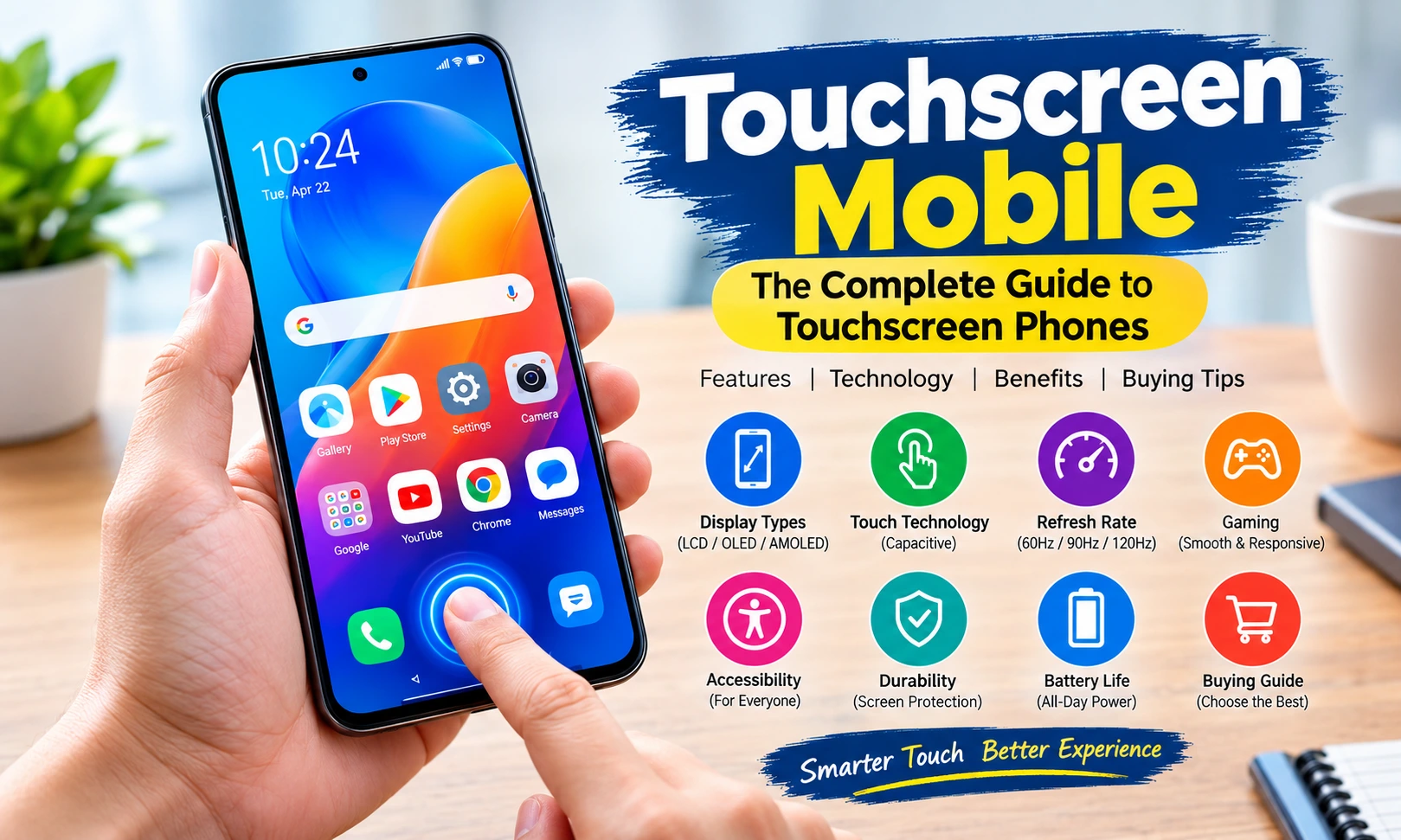
Introduction
A touchscreen mobile has become one of the most important devices in everyday life. From making phone calls and sending messages to watching videos, playing games, shopping online, attending meetings, studying, taking photographs, managing businesses, and using artificial intelligence applications, smartphones have changed the way people interact with technology.
Unlike traditional mobile phones that depended heavily on physical buttons and keypads, modern touchscreen mobile phones allow users to control almost everything directly through the display. A simple tap can open an application, a swipe can move between screens, a pinch can zoom an image, and a long press can open additional options.
The touchscreen is therefore much more than a display. It has become the primary interface between the user and the smartphone.
Modern touchscreen phones are available in almost every price category, from affordable smartphones designed for calling and basic applications to premium devices with advanced displays, high refresh rates, powerful processors, sophisticated cameras, and gaming-focused touch systems.
Choosing the right touchscreen mobile, however, is not simply about selecting the phone with the largest or brightest screen. Display quality, touch responsiveness, screen protection, refresh rate, battery efficiency, software optimization, ergonomics, durability, and accessibility all contribute to the overall touchscreen experience.
This comprehensive guide explains everything you need to know about touchscreen mobile phones, including how touchscreen technology works, different display types, important features, advantages and disadvantages, maintenance tips, gaming performance, accessibility, and what to look for before buying a new touchscreen smartphone.
What Is a Touchscreen Mobile?
A touchscreen mobile is a smartphone that allows users to interact with the device by touching elements directly on its display.
Instead of relying primarily on physical keys, users can tap icons, swipe through pages, type on a virtual keyboard, scroll through websites, zoom photographs, control applications, and perform other functions using touch gestures.
The touchscreen generally works together with several layers of technology. These can include the display panel, touch-sensing layer, protective glass, controller hardware, operating system, and software responsible for interpreting touch commands.
When you touch the screen, the phone detects the location of your finger and sends that information to the operating system. The software then determines what action should happen.
For example:
- A single tap may open an application.
- A swipe may scroll a webpage.
- A long press may display a menu.
- A pinch gesture may zoom an image.
- A double tap may activate a particular function.
- Dragging may move an object across the screen.
This direct interaction makes smartphones easier to learn and more flexible than many older button-based phones.
How Does a Touchscreen Mobile Work?
Understanding how a touchscreen works can help you appreciate why some phones feel faster and more responsive than others.
Most modern smartphones use capacitive touchscreen technology. The touchscreen detects changes in an electrical field when a conductive object, such as a human finger, touches the surface.
The process is extremely fast.
When your finger touches the display:
- The touch layer detects the contact.
- The touchscreen controller identifies the location.
- The information is sent to the phone’s processor.
- The operating system determines the appropriate action.
- The application responds.
- The display updates almost immediately.
This entire process happens so quickly that users normally perceive it as instantaneous.
Touch responsiveness can depend on hardware, software, screen technology, touch sampling capabilities, operating-system optimization, and environmental conditions.
A high-quality touchscreen mobile should recognize taps accurately and respond consistently without requiring excessive pressure.
 Movies
AD admin| Feb 26, 2026| 3 min read
Upcoming Movies 2026: 2026 में आने वाली सभी बड़ी फिल्में (Hollywood & Bollywood)
Capacitive Touchscreen Technology
Capacitive touchscreens are widely used in modern smartphones because they offer several advantages.
They are generally:
- Highly responsive
- Suitable for multi-touch gestures
- Thin
- Accurate
- Smooth to operate
- Well suited to modern smartphone interfaces
Multi-touch is particularly important.
It allows the phone to recognize more than one point of contact at the same time. This makes gestures such as pinch-to-zoom possible.
For example, when viewing a photograph, placing two fingers on the screen and moving them apart can enlarge the image. Moving the fingers together can reduce it.
This technology also makes touchscreen gaming possible because games can detect multiple simultaneous controls.
Touchscreen Mobile Display Types
The screen is one of the most important parts of any touchscreen smartphone.
Several display technologies are commonly associated with modern smartphones.
LCD Displays
LCD stands for Liquid Crystal Display.
LCD screens have been used in smartphones for many years and remain common in affordable and mid-range devices.
Advantages can include:
- Good brightness
- Reliable performance
- Generally lower manufacturing cost
- Good readability in many conditions
- Long-established technology
However, LCD screens typically require a backlight because individual pixels do not produce their own light.
OLED Displays
OLED stands for Organic Light-Emitting Diode.
OLED displays can produce light at the individual pixel level. Because pixels can be switched off completely, OLED technology can deliver deep blacks and high contrast.
Common benefits include:
- Excellent contrast
- Deep blacks
- Vibrant colors
- Thin display construction
- Strong viewing experience for movies and photographs
OLED technology has become especially important in premium smartphones.
 Tips & Tricks
AD admin| Feb 23, 2026| 1 min read
Instagram Ko Hack Hone Se Kaise Bachaye?
AMOLED Displays
AMOLED stands for Active Matrix Organic Light-Emitting Diode.
AMOLED displays are widely used in smartphones because they can provide vibrant colors, strong contrast, and efficient operation in suitable conditions.
A high-quality AMOLED touchscreen mobile can provide an impressive experience for:
- Video streaming
- Photography
- Gaming
- Social media
- Reading
- Web browsing
Display quality nevertheless depends on more than simply whether a phone uses AMOLED technology. Brightness, calibration, resolution, refresh rate, color management, and software also matter.
LTPO Displays
LTPO is a display technology that can enable more flexible refresh-rate management.
A phone with an adaptive refresh rate can adjust the screen refresh rate according to what is happening on the display.
For example, a higher refresh rate may be useful while scrolling or gaming, while a lower refresh rate may help reduce power consumption when displaying static content.
This type of technology is particularly useful in premium smartphones where manufacturers want to balance smoothness and battery efficiency.
What Is Refresh Rate in a Touchscreen Mobile?
Refresh rate describes how many times the display can update its image per second.
It is normally expressed in Hertz, or Hz.
For example:
- 60Hz means up to 60 display updates per second.
- 90Hz means up to 90 updates per second.
- 120Hz means up to 120 updates per second.
- Higher refresh rates can provide a smoother visual experience when supported by the software and hardware.
A higher refresh rate can make scrolling and animations feel smoother.
This is particularly noticeable when moving through websites, social-media feeds, application menus, and games.
However, refresh rate is not the only factor determining touchscreen quality.
Touch responsiveness and touch sampling also matter.
Touch Sampling Rate Explained
Touch sampling rate describes how frequently the touchscreen system checks for touch input.
A higher touch sampling rate can potentially make a phone feel more responsive because touch input can be detected more frequently.
This can be particularly important for:
- Mobile gaming
- Fast typing
- Drawing applications
- Competitive games
- Precision controls
A phone may have a high display refresh rate but still deliver a less impressive experience if its touch processing or software optimization is poor.
The best touchscreen experience comes from good integration between the display, touch layer, processor, operating system, and application.
 Meditation
AD admin| Feb 19, 2026| 1 min read
तनाव कम करने के लिए ध्यान (Meditation) अभ्यास
Why Touch Responsiveness Matters
Imagine tapping an application icon and waiting for the phone to react.
Or imagine playing a fast-paced game where you swipe to avoid an opponent, but the phone registers your movement late.
These situations demonstrate why touch responsiveness matters.
A good touchscreen mobile should:
- Register taps accurately.
- Recognize swipes smoothly.
- Respond quickly to gestures.
- Avoid unnecessary accidental touches.
- Support multi-touch reliably.
- Work consistently across different applications.
Touch responsiveness is especially important for users who frequently type, game, draw, edit photographs, or use productivity applications.
Common Touchscreen Gestures
Modern smartphones use gestures as an important part of navigation.
Tap
A tap means briefly touching the screen.
It can be used to:
- Open applications
- Select options
- Press buttons
- Choose photographs
- Play or pause media
Double Tap
A double tap means touching the same area twice quickly.
Depending on the application, it may zoom content, activate a function, or perform another action.
Long Press
A long press means holding your finger on the screen for a short period.
It can open additional menus or activate functions such as selecting text or moving icons.
Swipe
A swipe means moving your finger across the screen.
Swiping can be used to:
- Scroll webpages
- Change photographs
- Navigate between screens
- Open system panels
- Move through lists
Pinch to Zoom
This uses two fingers.
Moving them apart generally zooms in, while bringing them together zooms out.
It is useful for photographs, maps, websites, documents, and other visual content.
Drag
Dragging means pressing an object and moving your finger while maintaining contact.
It can be used to move icons, adjust sliders, reposition objects, and perform actions in applications.
Touchscreen Mobile and Gaming
Gaming has become one of the biggest reasons consumers pay attention to touchscreen performance.
A touchscreen gaming phone or gaming-focused smartphone may offer features such as:
- High refresh-rate display
- Fast touch response
- High touch sampling
- Powerful processor
- Advanced graphics processing
- Efficient cooling
- Large battery
- Gaming software
- Customizable controls
Touch accuracy is particularly important in competitive games.
A small delay can affect gameplay when users need to react quickly.
A smooth display combined with accurate touch input can make movement, aiming, navigation, and control feel significantly better.
However, gaming performance should not be judged by touchscreen specifications alone. Processor performance, thermal management, software optimization, battery capacity, and sustained performance are also important.
 Meditation
AD admin| Feb 13, 2026| 1 min read
विपश्यना (Vipassana) क्या होती है? – आत्मनिरीक्षण और शुद्ध चेतना की गहन साधना
Touchscreen Mobile for Students
A touchscreen smartphone can be a useful educational tool.
Students can use smartphones to:
- Attend online classes
- Read digital books
- Watch educational videos
- Search for information
- Take notes
- Scan documents
- Use educational applications
- Practice languages
- Record lectures
- Communicate with teachers and classmates
A large and high-quality touchscreen can make reading and studying more comfortable.
For students, however, battery life and durability can be just as important as display quality.
A phone that provides a beautiful display but requires frequent charging may not be ideal for someone who spends long hours studying away from a power outlet.
Touchscreen Mobile for Business
Modern smartphones are also powerful business tools.
Professionals can use touchscreen phones for:
- Video meetings
- Messaging
- Document editing
- Online banking
- Business applications
- Social media management
- Customer communication
- Cloud storage
- Digital marketing
- Photography
- Content creation
The touchscreen interface makes it possible to perform many tasks without a laptop.
For business users, screen size, typing experience, battery life, software support, security, and connectivity are particularly important.
A larger screen may be more comfortable for spreadsheets and document editing, while a compact device may be easier to carry throughout the day.
Touchscreen Mobile for Photography
Smartphone cameras have improved dramatically, and the touchscreen plays an important role in photography.
Users can tap the screen to:
- Select focus
- Adjust exposure
- Change camera modes
- Review photographs
- Zoom
- Control settings
Some camera applications provide advanced touch controls that allow photographers to quickly adjust exposure or focus.
A high-quality display is also useful when reviewing photographs because it allows users to see details, colors, shadows, and highlights more clearly.
However, remember that display quality and camera quality are separate specifications. A beautiful display does not automatically mean the phone has an excellent camera.
Touchscreen Mobile for Watching Videos
Smartphones are now widely used for entertainment.
People watch:
- Movies
- Television programs
- YouTube videos
- Short-form videos
- Sports
- Educational content
- Live streams
For video consumption, display size, brightness, contrast, resolution, speaker quality, and battery life all matter.
OLED displays can be especially attractive for video because their strong contrast and deep blacks can provide an immersive experience.
A larger screen can also make long viewing sessions more comfortable.
Advantages of Touchscreen Mobile Phones
There are many advantages to touchscreen smartphones.
1. Easy Interface
Touch interfaces are intuitive for many users.
Instead of remembering numerous physical buttons, users can interact directly with visible icons and controls.
2. Flexible Controls
Software can change the controls depending on the application.
A camera can display camera controls, a game can display virtual buttons, and a drawing application can provide a digital canvas.
This flexibility is difficult to achieve with a traditional fixed keypad.
3. Large Display
Touchscreen phones can use much of the front surface for displaying content.
This is useful for:
- Videos
- Games
- Photos
- Websites
- Documents
- Applications
4. Multi-Touch
Multi-touch enables sophisticated gestures and interactions.
5. Modern Applications
Most modern mobile applications are designed specifically for touchscreen interaction.
6. Customization
Users can often adjust display, accessibility, navigation, font, and touch-related settings according to their needs.
Android, for example, includes settings for touch sensitivity and navigation, while device-specific options can vary by manufacturer.
Disadvantages of Touchscreen Mobile Phones
Touchscreen phones also have disadvantages.
Screen Damage
The screen is one of the most important and vulnerable parts of the phone.
Drops can cause:
- Cracks
- Scratches
- Display problems
- Touch problems
A protective case and quality screen protector can reduce some risks.
Accidental Touches
Large touchscreens can sometimes register unintended touches.
This can happen when the phone is in a pocket or when the edges are accidentally touched.
Wet Fingers
Water, moisture, or extremely wet fingers can interfere with touch interaction depending on the device and conditions.
Battery Consumption
A large, bright, high-refresh-rate display can consume considerable battery power.
Repair Cost
Replacing a damaged smartphone display can be expensive, particularly on premium phones.
How to Choose the Best Touchscreen Mobile
If you are planning to buy a new touchscreen mobile, consider the following factors.
Display Size
Choose a screen size based on how you use your phone.
A larger display can be useful for:
- Movies
- Gaming
- Reading
- Editing documents
A smaller phone can be easier to carry and use with one hand.
Resolution
Higher resolution can produce sharper text and images.
However, resolution should be considered alongside screen size, viewing distance, display quality, and battery efficiency.
Refresh Rate
A higher refresh rate can make scrolling and animations smoother.
If you frequently game or consume visual content, a high-refresh-rate display may be valuable.
Brightness
Brightness matters when using a phone outdoors.
A screen that looks excellent indoors may become difficult to read under strong sunlight if its outdoor brightness is insufficient.
Touch Response
Look for a phone that provides accurate and responsive touch input.
Screen Protection
Check what type of protective glass or screen protection the manufacturer provides.
Even strong glass is not completely immune to damage, so using a protective case remains sensible.
Battery Life
A beautiful touchscreen is less useful if the phone’s battery cannot support your daily usage.
Consider your typical activities:
- Gaming
- Video streaming
- Social media
- Photography
- Navigation
- Calls
- Web browsing
Heavy users should prioritize battery capacity and power efficiency.
Touchscreen Mobile for One-Handed Use
Large smartphone displays are excellent for entertainment and productivity, but they can sometimes be difficult to operate with one hand.
Many modern Android devices offer one-handed modes that reduce or reposition the usable screen area, making controls easier to reach.
One-handed operation can be particularly useful when:
- Walking
- Shopping
- Carrying a bag
- Using public transport
- Multitasking
When choosing a phone, don’t look only at the screen diagonal. Consider the phone’s width, weight, frame design, and software features.
Touchscreen Accessibility Features
Touchscreen smartphones can provide extensive accessibility options.
Android includes features designed to help people with different vision, hearing, mobility, and interaction needs. These can include TalkBack, magnification, display adjustments, Voice Access, Switch Access, and accessibility menus.
For example, TalkBack provides spoken feedback about elements on the screen and supports gesture-based navigation.
Accessibility features demonstrate that a touchscreen phone does not have to rely exclusively on traditional touch interaction.
Users can sometimes combine touch with:
- Voice commands
- External keyboards
- Switches
- Braille displays
- Screen readers
- Magnification
- Display customization
This makes smartphones more flexible for people with different needs.
Touchscreen Mobile and Screen Protectors
A screen protector can help protect the display from everyday scratches and minor impacts.
Common types include:
- Tempered glass
- Flexible film
- Hybrid protectors
When selecting a protector, make sure it is compatible with the phone.
A poorly fitted screen protector can sometimes affect:
- Touch sensitivity
- Fingerprint recognition
- Edge gestures
- Display clarity
If you experience touch problems after installing a screen protector, check whether the device provides a touch-sensitivity setting. Some Android devices allow users to adjust touch sensitivity, depending on the manufacturer and software version.
How to Keep Your Touchscreen Mobile in Good Condition
Proper care can help extend the life of a smartphone.
Clean the Screen Regularly
Use a soft microfiber cloth to remove fingerprints and dust.
Avoid harsh cleaning chemicals that may damage screen coatings.
Avoid Extreme Pressure
Modern smartphone displays are designed for normal finger interaction. Pressing extremely hard does not generally improve touch accuracy and can potentially damage components.
Protect the Phone from Drops
A good protective case can reduce damage caused by accidental falls.
Avoid Sharp Objects
Do not place keys or other sharp objects directly against the screen.
Keep the Screen Dry
If your phone becomes wet, follow the manufacturer’s guidance and avoid using it in ways that could cause additional damage.
Replace Damaged Protectors
A cracked or badly scratched screen protector should be replaced.
Common Touchscreen Problems
Even good smartphones can develop touch-related problems.
Touchscreen Not Responding
Possible causes include:
- Software glitches
- Physical damage
- Moisture
- Screen protector problems
- Hardware failure
Try restarting the phone first.
If the problem continues, check for software updates and inspect the display for physical damage.
Ghost Touch
Ghost touch occurs when the phone appears to register touches that you did not make.
Possible causes include:
- Damaged display
- Moisture
- Poor-quality charger or electrical interference
- Software issues
- Faulty screen protector
Persistent ghost touch should be evaluated by a qualified service provider.
Slow Touch Response
Slow response can sometimes be caused by:
- Heavy background processes
- Software problems
- Damaged touchscreen
- Excessive device temperature
- Poor application optimization
Restarting the device and checking available storage and software updates may help.
Touchscreen Mobile and Software Optimization
Hardware alone cannot create an excellent touchscreen experience.
The operating system and applications must be optimized for touch interaction.
A well-designed interface should have:
- Clearly visible controls
- Adequate touch targets
- Smooth animations
- Accurate gesture recognition
- Consistent navigation
- Appropriate spacing
Android’s accessibility guidance recommends touch targets of at least 48dp for reliable interaction in many interface designs.
This illustrates an important principle: a touchscreen interface should not only look attractive; it should also be easy to operate accurately.
Touchscreen Mobile for Older Users
A touchscreen phone can be extremely useful for older users when configured properly.
Helpful features can include:
- Larger text
- Larger icons
- Increased display contrast
- Simplified home screens
- One-handed mode
- Voice commands
- Accessibility menus
- Emergency features
Android provides display-size and font-size controls as well as magnification and other accessibility tools.
When buying a touchscreen mobile for an older family member, prioritize simplicity, speaker quality, battery life, display readability, and reliable customer support instead of focusing only on advanced specifications.
Touchscreen Mobile for Content Creators
Content creators increasingly use smartphones as portable production tools.
A powerful touchscreen mobile can be used for:
- Video recording
- Photo editing
- Video editing
- Thumbnail creation
- Social media publishing
- Graphic design
- Script writing
- Live streaming
For creators, screen quality becomes particularly important because editing requires accurate visual feedback.
A larger display can make editing timelines and controls easier to use, while strong brightness and color accuracy can help with visual work.
Touchscreen Mobile for Digital Marketing
Smartphones have also become essential tools for digital marketing.
A marketer can manage:
- Social media accounts
- Advertising campaigns
- Analytics
- Website updates
- Customer messages
- Content publishing
- Online meetings
A responsive touchscreen makes these tasks much easier.
Professionals who frequently work on their phones should consider a device with a comfortable display, reliable battery, strong performance, and enough storage.
Touchscreen Mobile Security
A smartphone contains sensitive information, including photographs, messages, documents, accounts, and financial applications.
Touchscreen phones commonly support biometric security methods such as fingerprint or facial recognition, depending on the device.
Security should also include:
- Strong passwords or PINs
- Regular software updates
- Secure applications
- Screen-lock protection
- Safe browsing habits
- Two-factor authentication
The touchscreen is part of the security experience because many users interact with authentication systems directly through the display.
Future of Touchscreen Mobile Technology
Touchscreen smartphone technology continues to evolve.
Future devices may increasingly combine touch interaction with:
- Artificial intelligence
- Voice control
- Advanced haptics
- Flexible displays
- Foldable screens
- Improved gesture recognition
- More adaptive refresh rates
- Better accessibility
- Smarter contextual controls
The traditional idea of simply touching icons may also expand.
Instead of manually navigating through several menus, AI-powered smartphone systems may increasingly understand what the user wants and present relevant actions automatically.
Foldable phones are another important development because they can provide larger interactive surfaces while remaining relatively portable.
Are Bigger Touchscreens Always Better?
Not necessarily.
A larger screen can be excellent for:
- Watching videos
- Reading
- Gaming
- Editing
- Multitasking
But a smaller screen may be better for:
- One-handed use
- Pocketability
- Portability
- Lightweight handling
The ideal size depends on your lifestyle.
Instead of choosing the largest available display, consider how you actually use your phone every day.
Touchscreen Mobile Buying Checklist
Before purchasing a touchscreen mobile, use this checklist:
Display
- Screen size
- Resolution
- Brightness
- Refresh rate
- Display technology
- Color quality
- Viewing angles
Touch
- Touch responsiveness
- Multi-touch support
- Touch sampling
- Gesture accuracy
- Screen protector compatibility
Performance
- Processor
- RAM
- Storage
- Software optimization
- Thermal management
Battery
- Battery capacity
- Charging speed
- Power efficiency
- Real-world battery performance
Durability
- Screen protection
- Water resistance
- Build quality
- Protective case availability
Camera
- Main camera quality
- Front camera
- Video recording
- Image processing
- Camera software
Software
- Operating system
- Update support
- Security updates
- Accessibility features
- User interface
Connectivity
- Cellular connectivity
- Wi-Fi
- Bluetooth
- GPS
- NFC where required
Frequently Asked Questions About Touchscreen Mobile Phones
A touchscreen mobile is a smartphone that allows users to interact with applications and system controls by touching the display.
For most modern smartphones, capacitive touch technology provides an excellent combination of responsiveness, multi-touch capability, and usability.
A 120Hz display can provide smoother scrolling and animations than a 60Hz display when the phone and software support it. However, higher refresh rate can also affect power consumption
Screen size itself does not automatically determine touch performance. Touch hardware, software, display quality, and device optimization are also important.
Possible reasons include software problems, device overheating, background processes, screen damage, a problematic screen protector, or hardware faults.
Yes. Depending on the device and software, accessibility features such as Voice Access, Switch Access, and external keyboards can provide alternative interaction methods.
Check your phone’s touch-sensitivity settings if available, remove a problematic screen protector, keep the screen clean and dry, restart the device, and install available software updates.
AMOLED can provide excellent contrast and deep blacks, while LCD can offer strong brightness and reliable performance at different price points. The best choice depends on the phone and your priorities.
It can increase power consumption, particularly when the display operates at a high refresh rate continuously. Adaptive refresh-rate systems can help balance smoothness and efficiency.
Multi-touch allows a touchscreen to detect multiple points of contact simultaneously. It enables gestures such as pinch-to-zoom and supports multiple controls in mobile games.
Final Thoughts
The touchscreen mobile has transformed the smartphone from a simple communication device into a powerful personal computer that fits in your pocket.
The touchscreen is central to almost everything users do on a modern phone. Whether you are browsing the internet, watching videos, playing games, editing photographs, attending online meetings, studying, managing a business, or communicating with friends, the quality of the touch experience matters.
When choosing a touchscreen smartphone, do not focus on a single specification. A high refresh rate is useful, but it should be combined with responsive touch input. A beautiful AMOLED display is attractive, but battery life and durability still matter. A large screen can improve productivity, but a smaller phone may be more comfortable for one-handed use.
The best touchscreen mobile is therefore the one that provides the right combination of display quality, touch responsiveness, performance, battery life, durability, software, accessibility, and overall usability for your individual needs.
As smartphones continue to evolve, touchscreen technology will remain a central part of the mobile experience. Future devices will likely combine advanced displays with AI, smarter gestures, improved haptics, flexible form factors, and increasingly personalized interfaces.
For buyers, the key is to understand what each feature actually does rather than simply choosing the phone with the biggest numbers.
A good touchscreen mobile should feel natural, fast, accurate, comfortable, and reliable. When the display, touch technology, software, processor, and battery are properly balanced, the result is a smartphone that can support almost every part of modern digital life.
Leave a Reply